
How to git push after rebase?
In this post, you’ll know how to perform a successful git push after rebase. Pushing changes to the remote origin is nothing new. But there are some situations where the push may be rejected. Or it can override someone else’s progress.
Share on
After you rebase, the commit history changes. So you need to push with the –force flag. If you encounter a “git push rejected” error after rebasing a feature branch, here are some steps you can follow to fix it.
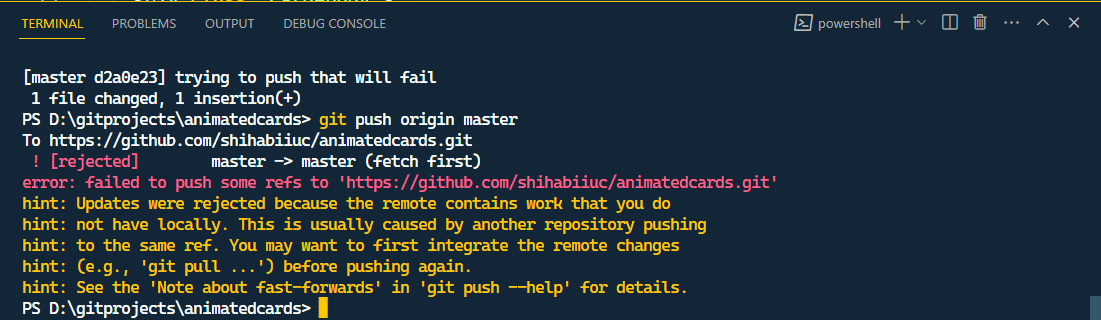
Double-check your changes
After rebasing a feature branch, ensure you have resolved conflicts and staged the changes using the git add -A command.
Update your local branch
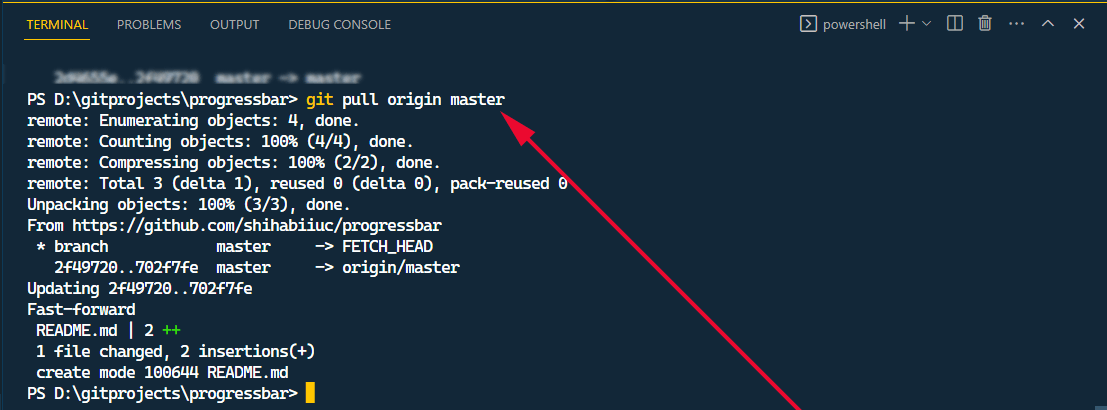
Ensure that your local branch is up-to-date with the latest changes from the remote repository. You can do this by running git pull command to fetch. And you can merge the latest changes from the remote repository into your local branch.
If it helped you, please share this post on your website.
Do you need web design help? Feel free to reach out.
I am a freelance web developer helping other developers, designers, and clients. If you need web design-related help, feel free to reach out to me. Always a reasonable price and easy to communicate with.
Perform a forceful push after git rebase
This is the advice that I gave you at the very beginning of this post. Since you have rebased your feature branch, the commit history changed. So you need to force-push your changes to the remote repository.
You can do this using git push command with the -f or --force flag. See the example below:
git push origin branch_name --forceOr
git push -f origin branch_name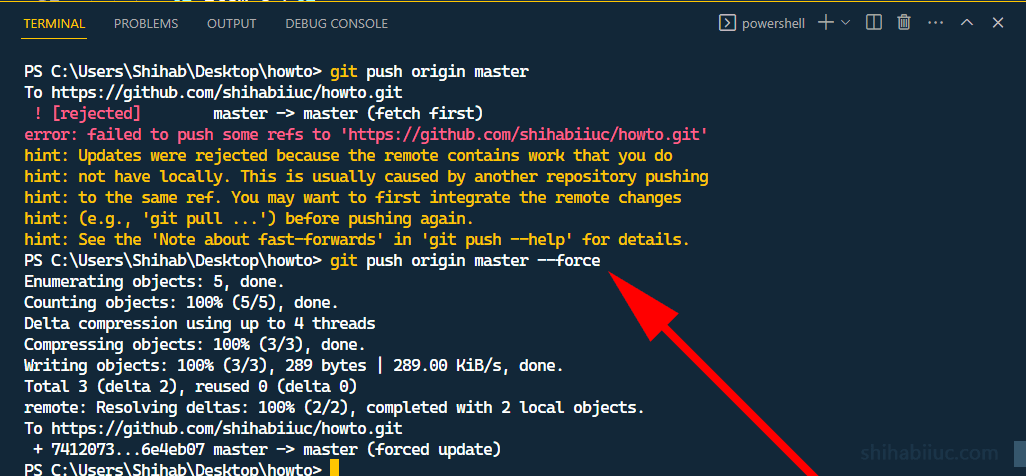
You have to replace the branch_name with the actual name.
Communicate with your team
If you are working in a team, it’s very important to communicate with other members before you do a forceful push. Because it can affect others who have cloned or pulled the repository.
Make sure everyone is aware of the changes you are making and coordinate accordingly.
Instead of the --force, there is a better alternative which is
--force-with-lease. The difference is you’ll get a warning if anyone else
made a commit to the same branch.
Resolve any further issues
Only pushing with a --force flag is not always the solution. Sometimes it can be dangerous if you’re not sure what you’re doing.
Not only after rebase but also every time you perform a git push with the --force flag, you have to make sure that you’re not bringing everyone (team members) to the same day when they get started.
After you confirm these factors and if the push is still rejected, double-check for any other issues, such as:
-Permissions -Branch protection rules -Other configuration settings on the remote repository
If necessary, consult with your team or repository administrator to resolve any further issues.
Do you need web design help? Feel free to reach out.
I am a freelance web developer helping other developers, designers, and clients. If you need web design-related help, feel free to reach out to me. Always a reasonable price and easy to communicate with.