
How to create a hero banner image using HTML CSS?
This post will show you how to create the hero banner image only using HTML & CSS. The hero banner image is generally known as the “Hero Section” on a web page.
It’s normally the first section of a web page. This hero section generally consists of a background image and a background overlay color, and on top of that, it contains a heading, paragraph & CTA (call to action).
End of this post, I will give you the full source code & show you the live preview.
Let’s see how we can create a hero section as you see in the design below:

Here is the live preview in the link below.
Hero Banner Privew
Project structure
herobanner/
│
├── img/
│
├── favicon.png
├── index.html
└── style.css
HTML
<!DOCTYPE html>
<html lang="en">
  <head>
    <meta charset="UTF-8" />
    <meta http-equiv="X-UA-Compatible" content="IE=edge" />
    <meta name="viewport" content="width=device-width, initial-scale=1.0" />
    <link rel="shortcut icon" href="favicon.png" type="image/x-icon" />
    <link
      href="https://fonts.googleapis.com/css2?family=Aclonica&display=swap"
      rel="stylesheet"
    />
    <link
      href="https://fonts.googleapis.com/css2?family=Roboto&display=swap"
      rel="stylesheet"
    />
    <link rel="stylesheet" href="style.css" />
    <title>Hero banner image using HTML & CSS</title>
  </head>
  <body>
    <section class="hero">
      <div class="hero-container">
        <h1>Consectetur adipisicing elitsse nostrum eveniet</h1>
        <p>
          Tempora recusandae id ab provident expedita magnam, quibusdam fugit
          exquia, quae eos nemo vitae iusto. Eum obcaecati ad!
        </p>
        <a href="index.html">Provident expedita →</a>
      </div>
    </section>

    <script src="script.js"></script>
  </body>
</html>
CSS
/*
**
* Avaiable fonts:
* font-family: 'Aclonica', sans-serif;
* font-family: 'Roboto', sans-serif;
**
*/
*,
*::before,
*::after {
  -webkit-box-sizing: border-box;
  box-sizing: border-box;
}

body {
  padding: 0;
  margin: 0;
  font-family: "Roboto", sans-serif;
}

img {
  max-width: 100%;
}

.hero {
  background:
    -webkit-gradient(
      linear,
      left bottom,
      left top,
      from(rgba(0, 0, 0, 0.6)),
      to(rgba(0, 0, 0, 0.8))
    ),
    url("./img/hero-banner-image-1.jpg");
  background:
    linear-gradient(0deg, rgba(0, 0, 0, 0.6), rgba(0, 0, 0, 0.8)),
    url("./img/hero-banner-image-1.jpg");
  background-size: cover;
  background-position: center;
  padding: 90px 15px;
}
.hero .hero-container {
  text-align: center;
  max-width: 1000px;
  margin: 0 auto;
}
.hero .hero-container h1 {
  color: rgba(255, 255, 255, 0.55);
  font-family: "Aclonica", sans-serif;
  font-size: 30px;
  margin: 0;
}
@media (min-width: 768px) {
  .hero .hero-container h1 {
    font-size: 70px;
  }
}
.hero .hero-container p {
  color: #fff;
  font-size: 22px;
}
.hero .hero-container a {
  text-decoration: none;
  background-color: #7f53ac;
  background-image: linear-gradient(315deg, #7f53ac 0%, #647dee 74%);
  color: #fff;
  padding: 12px 30px;
  display: inline-block;
  text-transform: uppercase;
  border-radius: 25px;
  -webkit-transition: all 0.9s ease;
  transition: all 0.9s ease;
}
.hero .hero-container a:hover {
  background-color: #42378f;
  background-image: linear-gradient(315deg, #42378f 0%, #f53844 74%);
  color: #000000;
  -webkit-box-shadow:
    0 4px 8px 0 rgba(0, 0, 0, 0.9),
    0 6px 20px 0 rgba(0, 0, 0, 0.9);
  box-shadow:
    0 4px 8px 0 rgba(0, 0, 0, 0.9),
    0 6px 20px 0 rgba(0, 0, 0, 0.9);
}

.hero .hero-container h1 {
  opacity: 0;
  -webkit-filter: blur(3px);
  filter: blur(3px);
  -webkit-transition: all 1850ms ease-in;
  transition: all 1850ms ease-in;
}
.hero .hero-container h1.loaded {
  opacity: 1;
  -webkit-filter: blur(0);
  filter: blur(0);
}
(Optional) If you want to add slight animation
JavaScript
document.addEventListener("DOMContentLoaded", () => {
  setTimeout(() => {
    document.querySelector("h1").classList.add("loaded");
  }, 100);
});
If you don’t use this js, please remove the following line from your html: <script src="script.js"></script>
You’ll find it just before the closing </body> tag.
That’s all. If you have any question, email me.
Do you need web design help? Feel free to reach out.
I am a freelance web developer helping other developers, designers, and clients. If you need web design-related help, feel free to reach out to me. Always a reasonable price and easy to communicate with.
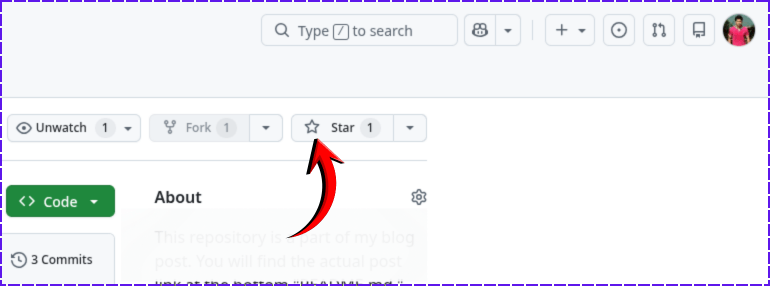
If you found this project helpful, please support me by hitting the 'Star' icon on my GitHub Repository. Please use the following link.
Give it A Star
Clone the entire template from your terminal:
git clone https://github.com/shihabiiuc/herobanner.git
cd herobanner
Is there anything else? Let me know.