
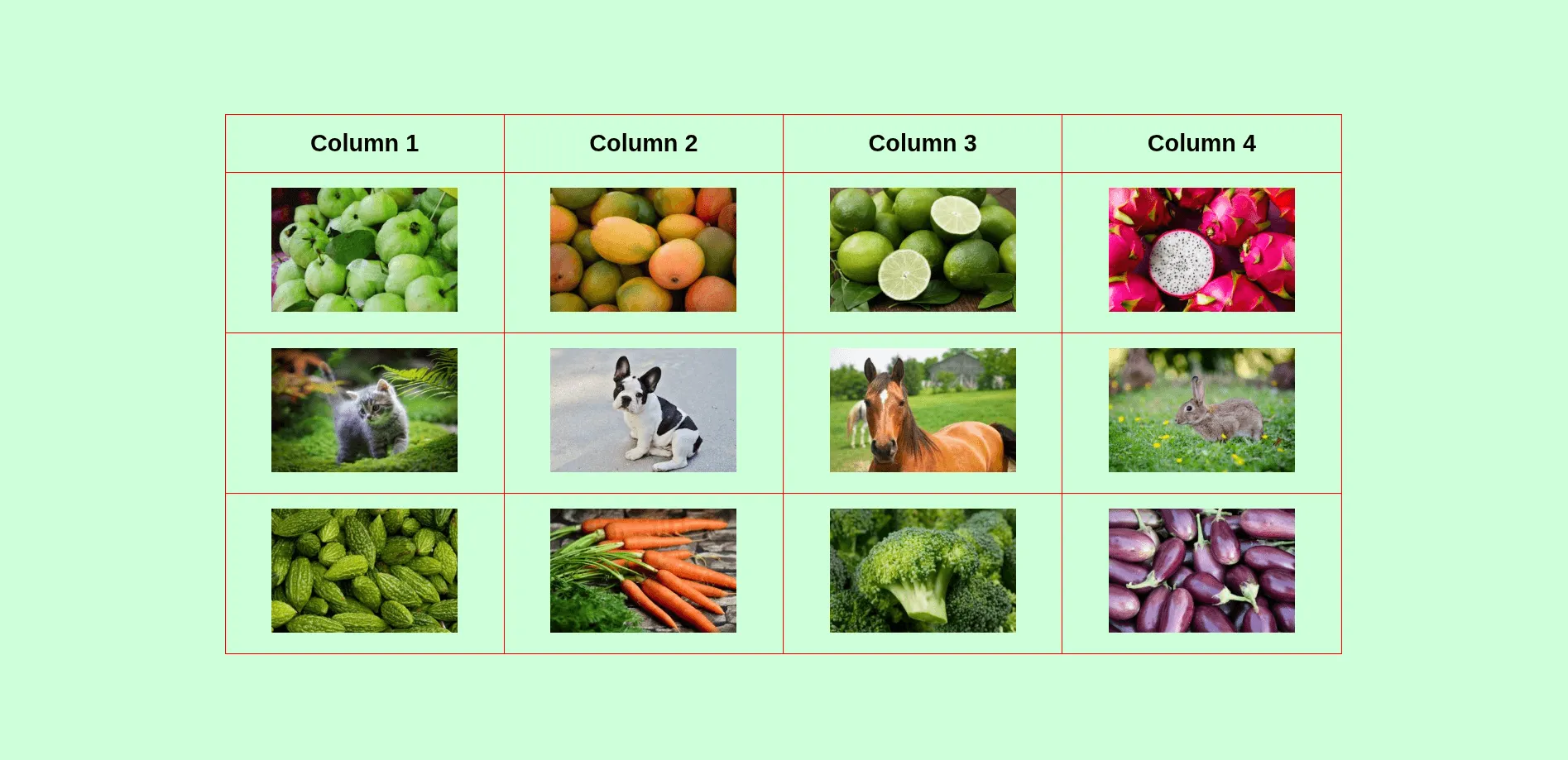
How to add images to an HTML table?
Adding and aligning images to an HTML table.
Live Demo
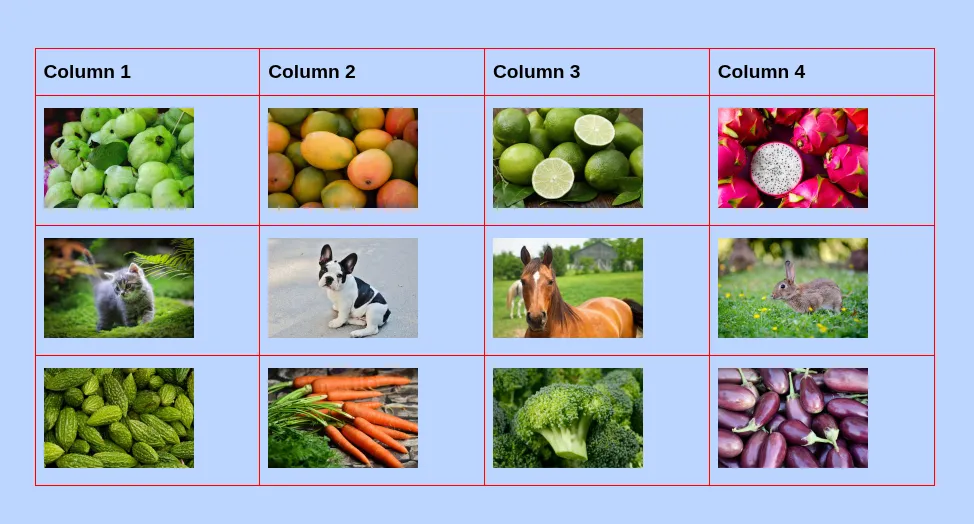
HTML Table with Images
HTML
<table>
  <tr>
    <th>Column 1</th>
    <th>Column 2</th>
    <th>Column 3</th>
    <th>Column 4</th>
  </tr>
  <tr>
    <td><img src="./img/guava.jpg" alt="guava" /></td>
    <td><img src="./img/mango.jpg" alt="mango" /></td>
    <td><img src="./img/lemon.jpg" alt="lemon" /></td>
    <td><img src="./img/dragon-fruit.jpg" alt="dragon fruit" /></td>
  </tr>
  <tr>
    <td><img src="./img/cat.jpg" alt="cat" /></td>
    <td><img src="./img/dog.jpg" alt="dog" /></td>
    <td><img src="./img/horse.jpg" alt="horse" /></td>
    <td><img src="./img/rabbit.jpg" alt="rabbit" /></td>
  </tr>
  <tr>
    <td><img src="./img/bitter-gourd.jpg" alt="bitter gourd" /></td>
    <td><img src="./img/carrot.jpg" alt="carrot" /></td>
    <td><img src="./img/broccoli.jpg" alt="broccoli" /></td>
    <td><img src="./img/eggplant.jpg" alt="eggplant" /></td>
  </tr>
</table>
CSS
table {
  border-spacing: 0;
  border-collapse: collapse;
  margin: 0 auto;
  width: 100%;
  max-width: 900px;
}
table tr td,
table tr th {
  border: 1px solid #ff0000;
  padding: 12px 8px;
}
table tr td img {
  width: 150px;
  max-width: 100%;
}
table tr th {
  text-align: left;
}
Do you need web design help? Feel free to reach out.
I am a freelance web developer helping other developers, designers, and clients. If you need web design-related help, feel free to reach out to me. Always a reasonable price and easy to communicate with.
If you want to center align the images inside the table cells
The HTML and CSS remain the same as the first example, ony need to add the following one line of css:
table {
  text-align: center;
}
If you need to right align the images
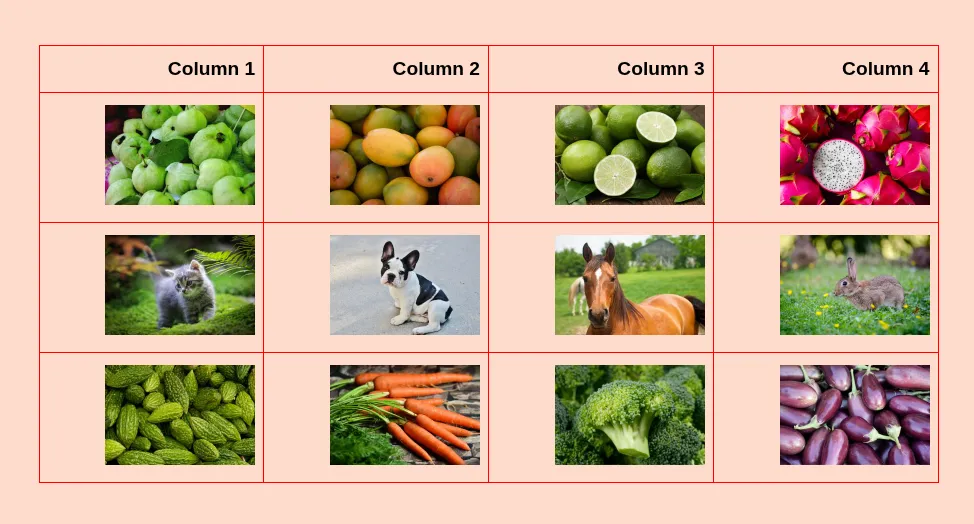
table {
  text-align: right;
}
Vertical Alignments
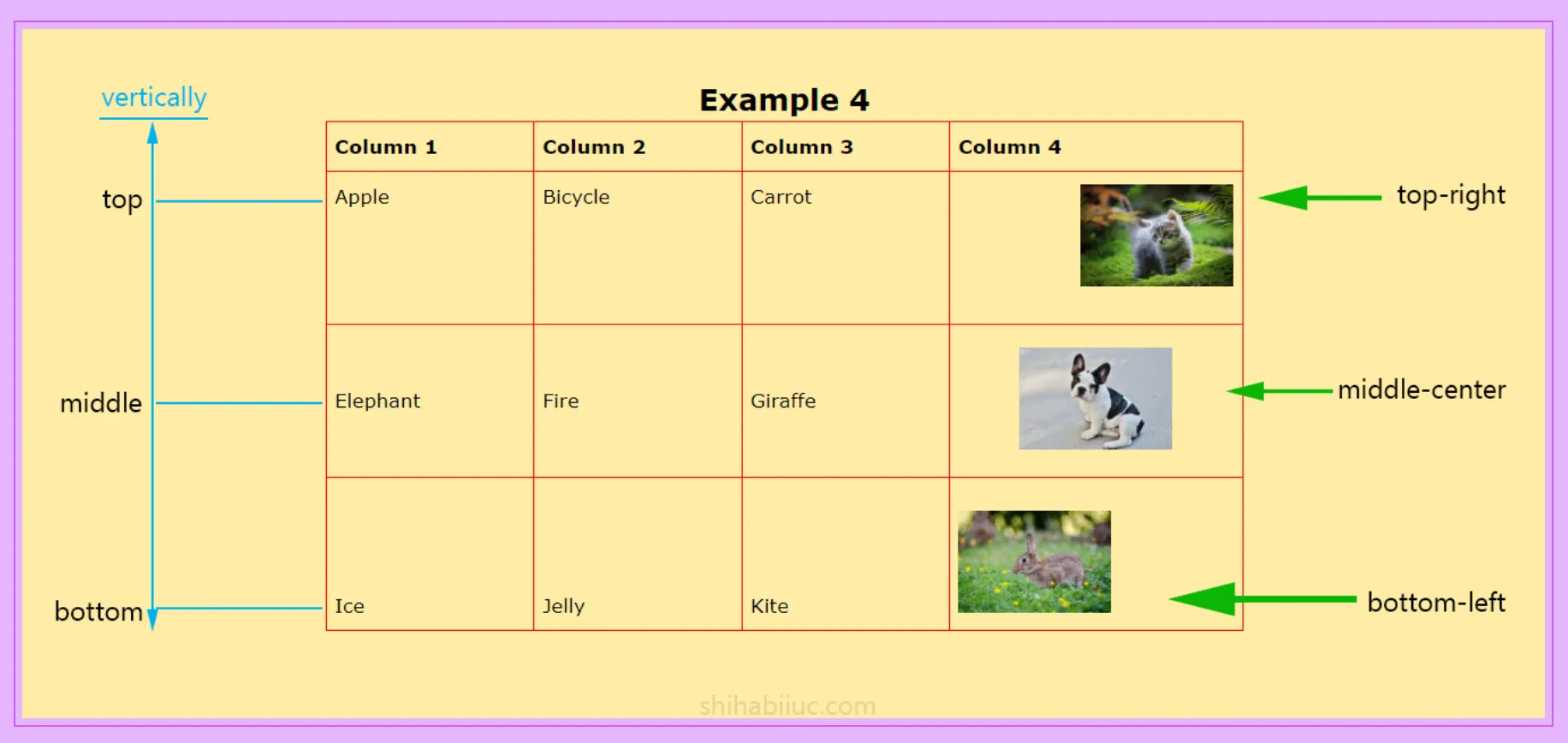
<table>
  <tr>
    <th>Column 1</th>
    <th>Column 2</th>
    <th>Column 3</th>
    <th>Column 4</th>
  </tr>
  <tr>
    <td>Apple</td>
    <td>Bicycle</td>
    <td>Carrot</td>
    <td><img src="./img/cat.jpg" alt="cat" /></td>
  </tr>
  <tr>
    <td>Elephant</td>
    <td>Fire</td>
    <td>Giraffe</td>
    <td><img src="./img/dog.jpg" alt="dog" /></td>
  </tr>
  <tr>
    <td>Ice</td>
    <td>Jelly</td>
    <td>Kite</td>
    <td><img src="./img/rabbit.jpg" alt="rabbit" /></td>
  </tr>
</table>
I wrote comments in the CSS so you can better understand them (instead of explaining them here).
/* default style */
table tr:first-child {
  text-align: left;
}
table tr td {
  height: 150px;
}
table tr td img {
  max-width: 150px;
}
/* default style ended above */

/* Apple, Bicycle, Carrot, (cat image {low specificity}) */
table tr:nth-child(2) td {
  vertical-align: top;
}
/* Elephant, Fire, Giraffe, (dog image {low specificity}) */
table tr:nth-child(3) td {
  vertical-align: middle;
}
/* Ice, Jelly, Kite, (rabbit image {low specificity}) */
table tr:nth-child(4) td {
  vertical-align: bottom;
}
/* cat (high specificity - winner) */
table tr:nth-child(2) td:last-child {
  vertical-align: top;
  text-align: right;
}
/* dog (high specificity - winner) */
table tr:nth-child(3) td:last-child {
  vertical-align: middle;
  text-align: center;
}
/* rabbit (high specificity - winner) */
table tr:nth-child(4) td:last-child {
  vertical-align: bottom;
  text-align: left;
}
And this brings me to the end of this post.
Do you need web design help? Feel free to reach out.
I am a freelance web developer helping other developers, designers, and clients. If you need web design-related help, feel free to reach out to me. Always a reasonable price and easy to communicate with.