
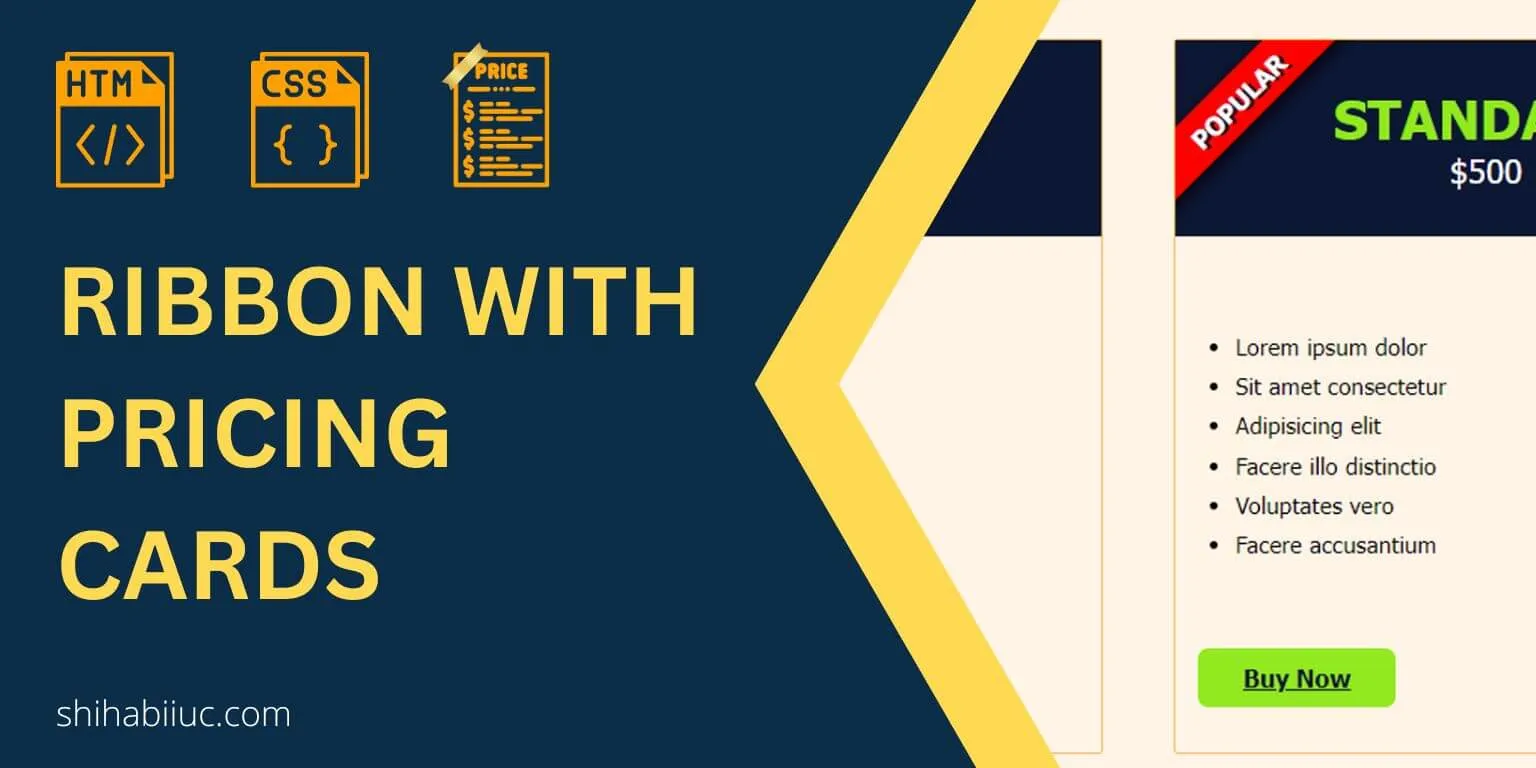
How to create a pricing card and ribbon (only HTML & CSS)?
In this post, I will show how you can create a simple ribbon in pricing cards. Also, I will give you a downloadable template that contains 3 pricing cards and a ribbon.
In the real world, the ribbon is used only with one card/item that you want to highlight. And this is what I built in this post.
Around the web, you’ll get many ribbon samples. But the problem happens when you try to implement them on your own projects. This is just because most of the samples are created with a blank HTML div that has a specific width & height. But you need to implement the ribbon inside other content, especially on pricing cards.
And that’s why it’s very hard to implement those CSS into your project because its HTML skeleton is totally different than what you have.
Anyways, before you get started, see the demo that I built in this post.
Live Preview
Let’s get started.
Ribbon & pricing card template
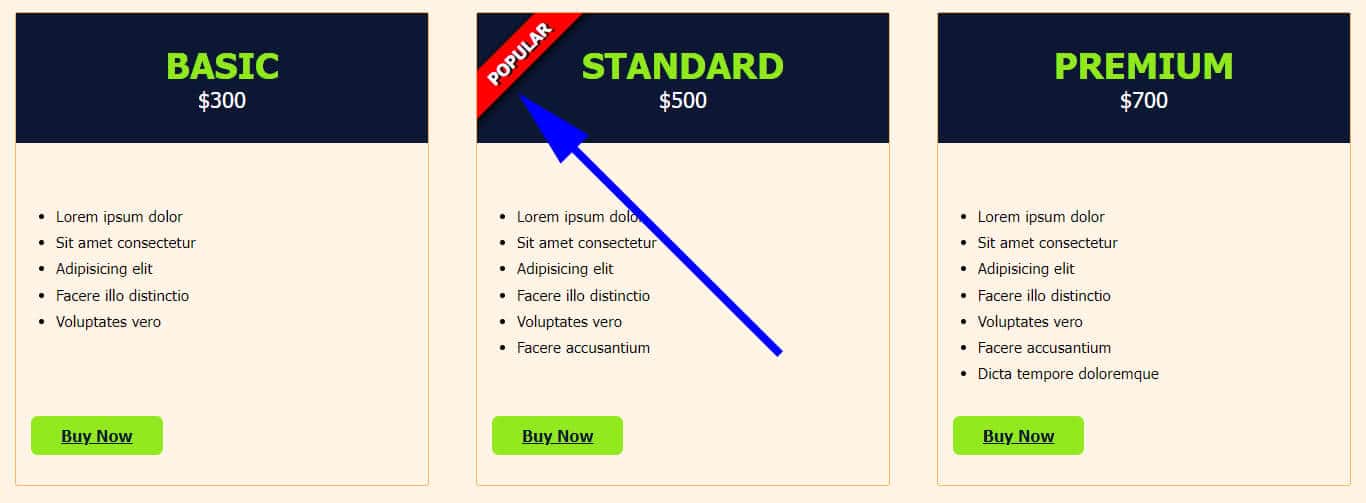
I always show you the demo first. So you can be sure what you’re going to build/get.
Do you need web design help? Feel free to reach out.
I am a freelance web developer helping other developers, designers, and clients. If you need web design-related help, feel free to reach out to me. Always a reasonable price and easy to communicate with.
HTML
<section class="example-3">
  <div class="card-holder">
    <div class="item">
      <div class="item--header">
        <h3 class="package">Basic</h3>
        <p><data class="price" value="300">$300</data></p>
      </div>
      <!-- .item--header -->
      <ul>
        <li>Lorem ipsum dolor</li>
        <li>Sit amet consectetur</li>
        <li>Adipisicing elit</li>
        <li>Facere illo distinctio</li>
        <li>Voluptates vero</li>
      </ul>
      <div class="link">
        <a href="javascript:void(0)">Buy now</a>
      </div>
    </div>
    <!-- .item -->
    <div class="item">
      <div class="item--header especial-item">
        <div class="ribbon">Popular</div>
        <h3 class="package">Standard</h3>
        <p><data class="price" value="500">$500</data></p>
      </div>
      <!-- .item--header -->
      <ul>
        <li>Lorem ipsum dolor</li>
        <li>Sit amet consectetur</li>
        <li>Adipisicing elit</li>
        <li>Facere illo distinctio</li>
        <li>Voluptates vero</li>
        <li>Facere accusantium</li>
      </ul>
      <div class="link">
        <a href="javascript:void(0)">Buy now</a>
      </div>
    </div>
    <!-- .item -->
    <div class="item">
      <div class="item--header">
        <h3 class="package">Premium</h3>
        <p><data class="price" value="700">$700</data></p>
      </div>
      <!-- .item--header -->
      <ul>
        <li>Lorem ipsum dolor</li>
        <li>Sit amet consectetur</li>
        <li>Adipisicing elit</li>
        <li>Facere illo distinctio</li>
        <li>Voluptates vero</li>
        <li>Facere accusantium</li>
        <li>Dicta tempore doloremque</li>
      </ul>
      <div class="link">
        <a href="javascript:void(0)">Buy now</a>
      </div>
    </div>
    <!-- .item -->
  </div>
  <!-- .card-holder -->
</section>
<!-- .example-3 -->
This HTML contains all 3 cards including the ribbon. And that is why it’s a bit longer than expected. However, you can edit this very easily.
CSS
.example-3 {
  background-color: #fff4e6;
  padding: 30px 15px;
}
@media (min-width: 768px) {
  .example-3 .card-holder {
    display: -webkit-box;
    display: -ms-flexbox;
    display: flex;
    -webkit-box-pack: justify;
    -ms-flex-pack: justify;
    justify-content: space-between;
  }
}
.example-3 .card-holder .item {
  margin: 0 0 30px;
  border: 1px solid #fcb65d;
  border-radius: 3px;
  -webkit-transition: -webkit-box-shadow 0.5s ease-in;
  transition: -webkit-box-shadow 0.5s ease-in;
  transition: box-shadow 0.5s ease-in;
  transition:
    box-shadow 0.5s ease-in,
    -webkit-box-shadow 0.5s ease-in;
}
@media (min-width: 768px) {
  .example-3 .card-holder .item {
    -ms-flex-preferred-size: 31%;
    flex-basis: 31%;
    display: -webkit-box;
    display: -ms-flexbox;
    display: flex;
    -webkit-box-orient: vertical;
    -webkit-box-direction: normal;
    -ms-flex-direction: column;
    flex-direction: column;
    -webkit-box-pack: justify;
    -ms-flex-pack: justify;
    justify-content: space-between;
  }
}
.example-3 .card-holder .item .item--header {
  text-align: center;
  background-color: #0c1733;
  padding: 30px 15px;
  margin-bottom: 60px;
}
.example-3 .card-holder .item .item--header h3 {
  margin: 0;
  text-transform: uppercase;
  color: #92e81c;
  font-size: 36px;
}
.example-3 .card-holder .item .item--header p {
  margin: 0;
}
.example-3 .card-holder .item .item--header p .price {
  color: white;
  font-size: 22px;
}
.example-3 .card-holder .item ul {
  margin: 0;
}
@media (min-width: 768px) {
  .example-3 .card-holder .item ul {
    -webkit-box-flex: 1;
    -ms-flex: 1;
    flex: 1;
  }
}
.example-3 .card-holder .item ul li {
  font-weight: 100;
  font-size: 1.1em;
  line-height: 1.7;
}
.example-3 .card-holder .item .link {
  padding: 30px 15px;
}
.example-3 .card-holder .item .link a {
  display: inline-block;
  background-color: #92e91f;
  padding: 10px 30px;
  color: #0c1733;
  font-size: 16px;
  font-weight: 700;
  border-radius: 7px;
  text-transform: capitalize;
}
.example-3 .card-holder .item:hover {
  -webkit-box-shadow:
    rgba(0, 0, 0, 0.16) 0px 10px 36px 0px,
    rgba(0, 0, 0, 0.06) 0px 0px 0px 1px;
  box-shadow:
    rgba(0, 0, 0, 0.16) 0px 10px 36px 0px,
    rgba(0, 0, 0, 0.06) 0px 0px 0px 1px;
}

/* Ribbon related */
.especial-item {
  position: relative;
  overflow: hidden;
}
.ribbon {
  max-width: 100%;
  width: 180px;
  background-color: red;
  color: white;
  position: absolute;
  text-align: center;
  text-transform: uppercase;
  font-size: 1.2em;
  text-shadow: 2px 2px #0c1733;
  -webkit-box-shadow: 2px 3px 10px #000000;
  box-shadow: 2px 3px 10px #000000;
  font-weight: bold;
  padding: 7px 5px;
  -webkit-transform: rotate(-45deg);
  transform: rotate(-45deg);
  -webkit-transform-origin: 50px 90px;
  transform-origin: 50px 90px;
}
This CSS contains vendor prefixes and also it contains all the styles for the entire template. That’s why it may seem longer than expected. However, the ribbon-related CSS is very small and I commented on this portion.
Download template
I gave you all the HTML & CSS for the pricing card & ribbon template. However, if you want to download the entire template that you saw in the live preview, you can clone it from your terminal.
git clone https://github.com/shihabiiuc/ribbon.gitIf you found this project helpful, please support me by hitting the 'Star' icon on my GitHub Repository. Please use the following link.
Hit the STAR ⭐
Do you need web design help? Feel free to reach out.
I am a freelance web developer helping other developers, designers, and clients. If you need web design-related help, feel free to reach out to me. Always a reasonable price and easy to communicate with.