
How to make a table rounded with CSS? (4 examples)
This post will show you a couple of ways to make rounded tables with CSS. Also, I will show you different types of rounded tables such as rounding 4 corners, rounding rows, columns, etc. See the examples in the screenshot below that we’re going to build.
These four example rounding corners will be covered in this post.
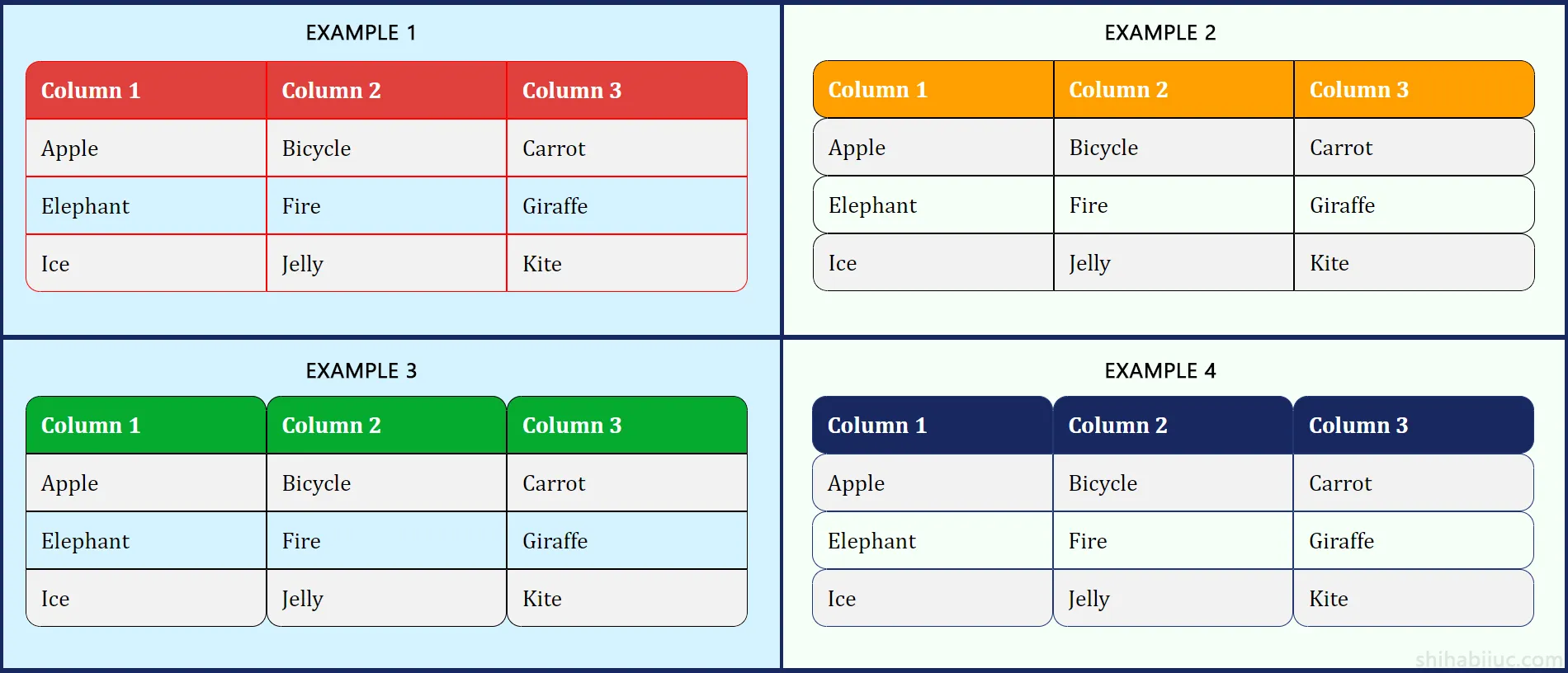
This four types of rounded tables will be covered in this post.
Example 1: Rounded 4 corners
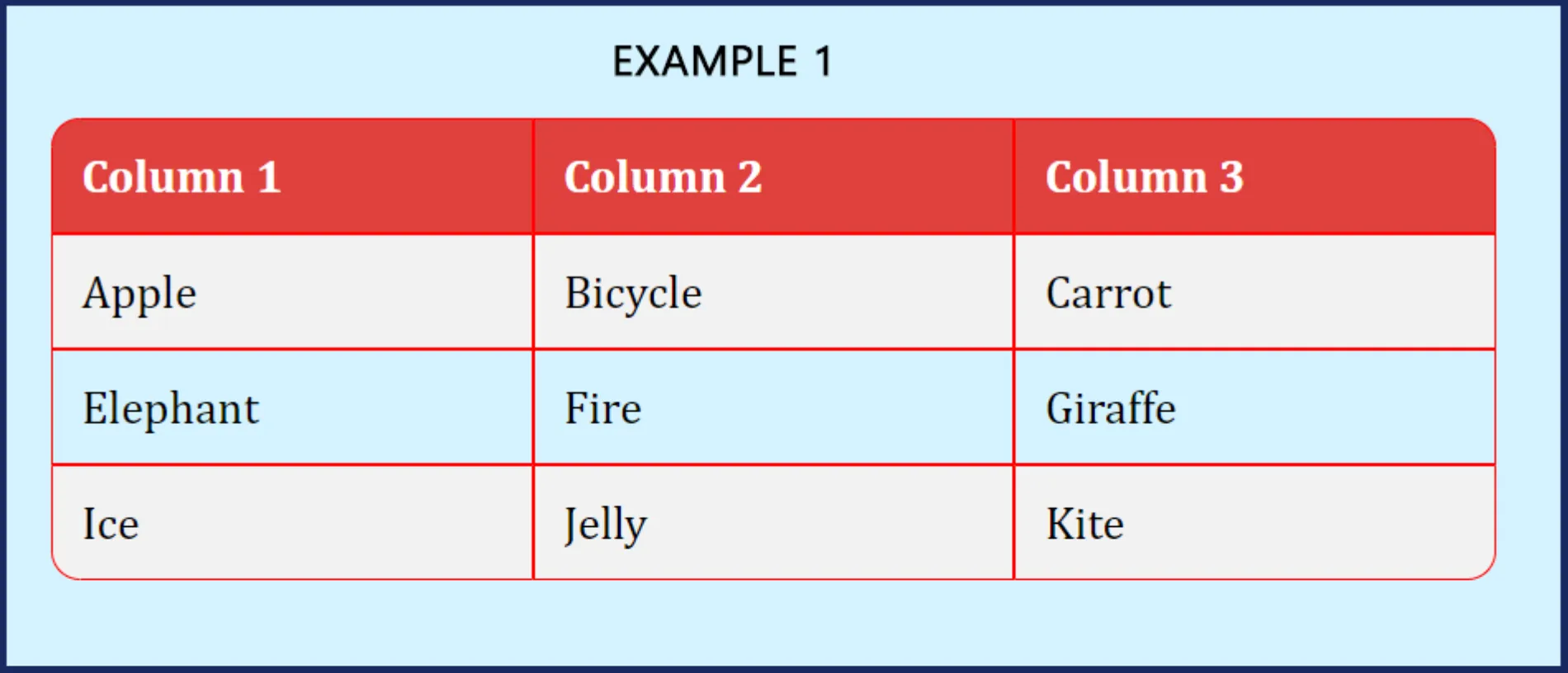
HTML
<table>
  <tr>
    <th>Column 1</th>
    <th>Column 2</th>
    <th>Column 3</th>
  </tr>
  <tr>
    <td>Apple</td>
    <td>Bicycle</td>
    <td>Carrot</td>
  </tr>
  <tr>
    <td>Elephant</td>
    <td>Fire</td>
    <td>Giraffe</td>
  </tr>
  <tr>
    <td>Ice</td>
    <td>Jelly</td>
    <td>Kite</td>
  </tr>
</table>
CSS
table {
  border-collapse: separate;
  border-spacing: 0;
  overflow: hidden;
}
th {
  background-color: #e0413d;
  color: #ffffff;
}
th,
td {
  padding: 10px;
  border: 1px solid #ff0000;
}
tr:nth-child(even) {
  background-color: #f2f2f2;
}
/* required css to make rounded table (below) */
tr:first-child th:first-child {
  border-top-left-radius: 10px;
}
tr:first-child th:last-child {
  border-top-right-radius: 10px;
}
tr:last-child td:first-child {
  border-bottom-left-radius: 10px;
}
tr:last-child td:last-child {
  border-bottom-right-radius: 10px;
}
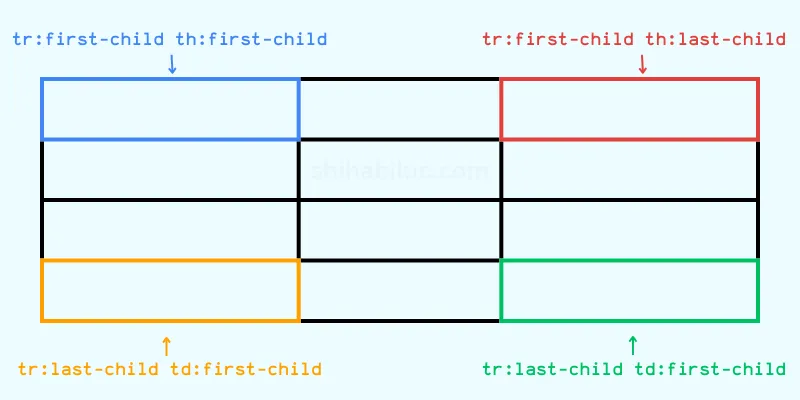
If you need clarifications on the css selectors used in the above code, check the infographic/image below.
Do you need web design help? Feel free to reach out.
I am a freelance web developer helping other developers, designers, and clients. If you need web design-related help, feel free to reach out to me. Always a reasonable price and easy to communicate with.
Example 2: Rounded rows
Preview
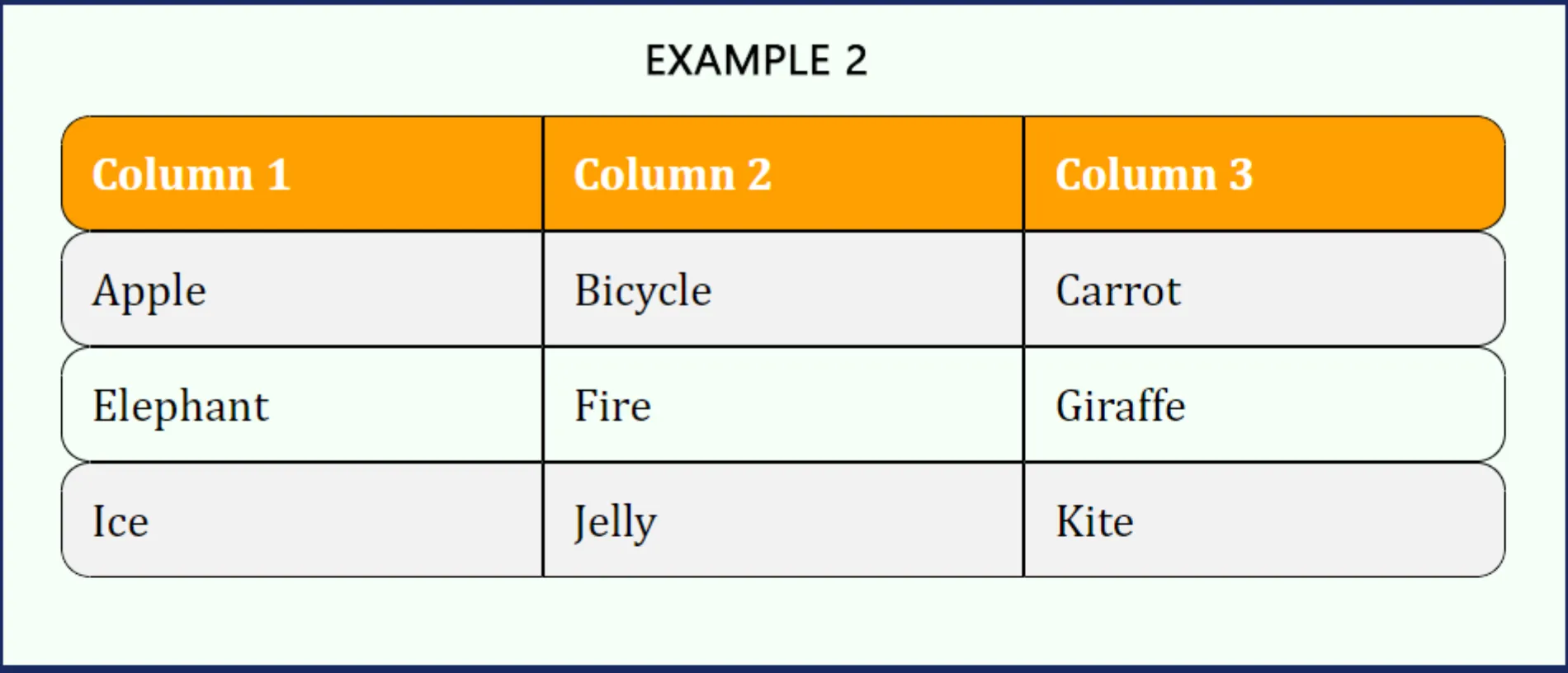
In this example, each rows is rounded instead of only 4 corners.
HTML markup remains the same as the first example, only CSS is different.
table {
  border-collapse: separate;
  border-spacing: 0;
  border-radius: 10px;
  overflow: hidden;
}
th {
  background-color: #ffa000;
  color: #ffffff;
}
th,
td {
  padding: 10px;
  border: 1px solid black;
}
tr:nth-child(even) {
  background-color: #f2f2f2;
}
tr:hover {
  background-color: #ddd;
}
/* required css to make the rows rounded */
th:first-child,
td:first-child {
  border-top-left-radius: 10px;
  border-bottom-left-radius: 10px;
}
th:last-child,
td:last-child {
  border-top-right-radius: 10px;
  border-bottom-right-radius: 10px;
}
tr:first-child th:first-child {
  border-top-left-radius: 10px;
}
tr:first-child th:last-child {
  border-top-right-radius: 10px;
}
tr:last-child td:first-child {
  border-bottom-left-radius: 10px;
}
tr:last-child td:last-child {
  border-bottom-right-radius: 10px;
}
Example 3: Rounded columns
In this example, each column is rounded instead of rows. Here is the preview:
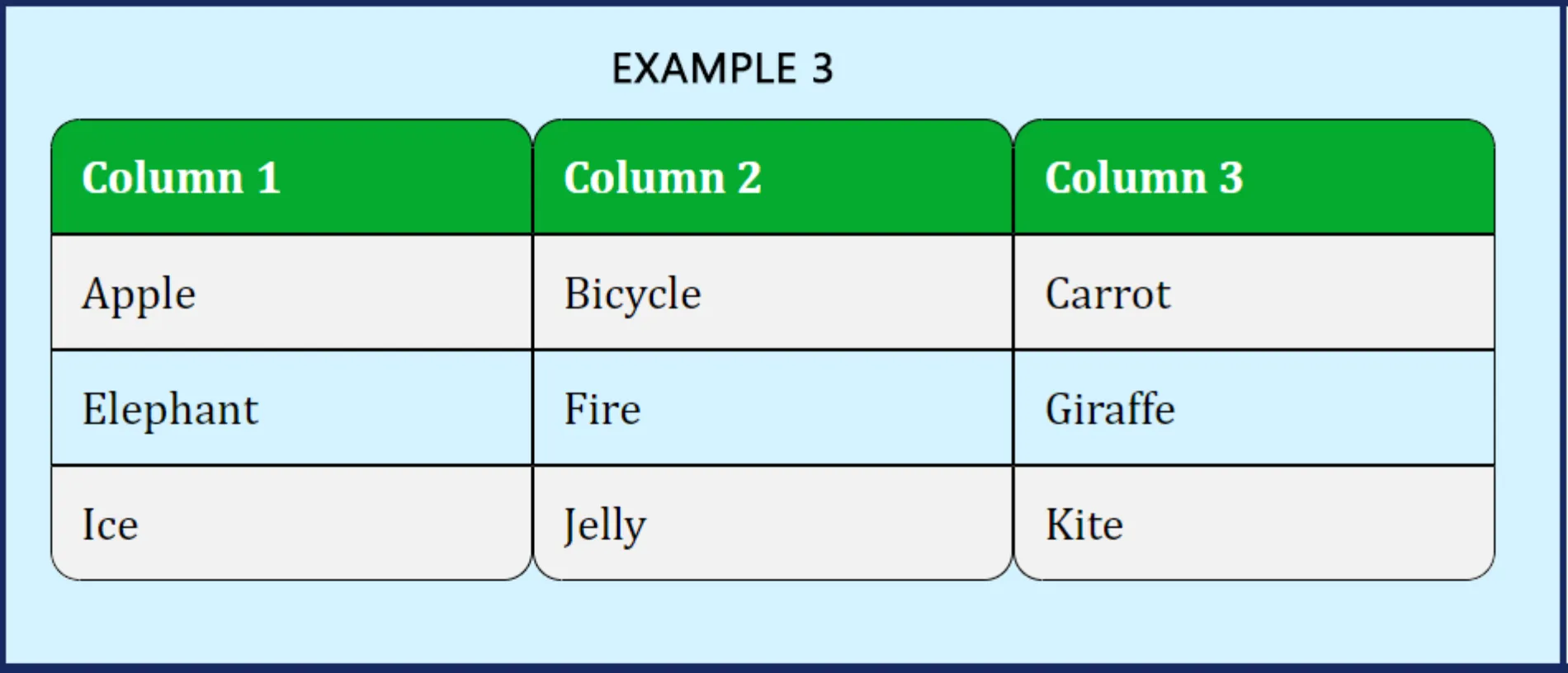
The HTML markup is the same as the first example, only CSS is different.
table {
  border-collapse: separate;
  border-spacing: 0;
  border-radius: 10px;
  overflow: hidden;
}
th {
  background-color: #05ab30;
  color: #ffffff;
}
th,
td {
  padding: 10px;
  border: 1px solid black;
}
tr:nth-child(even) {
  background-color: #f2f2f2;
}
tr:hover {
  background-color: #ddd;
}
/* required css to make columns rounded */
th {
  border-top-left-radius: 10px;
  border-top-right-radius: 10px;
}
tr:last-child td {
  border-bottom-left-radius: 10px;
  border-bottom-right-radius: 10px;
}
Example 4: Rounded rows & columns
This example combines the previous two examples. Both rows and columns are rounded. Here is the preview:
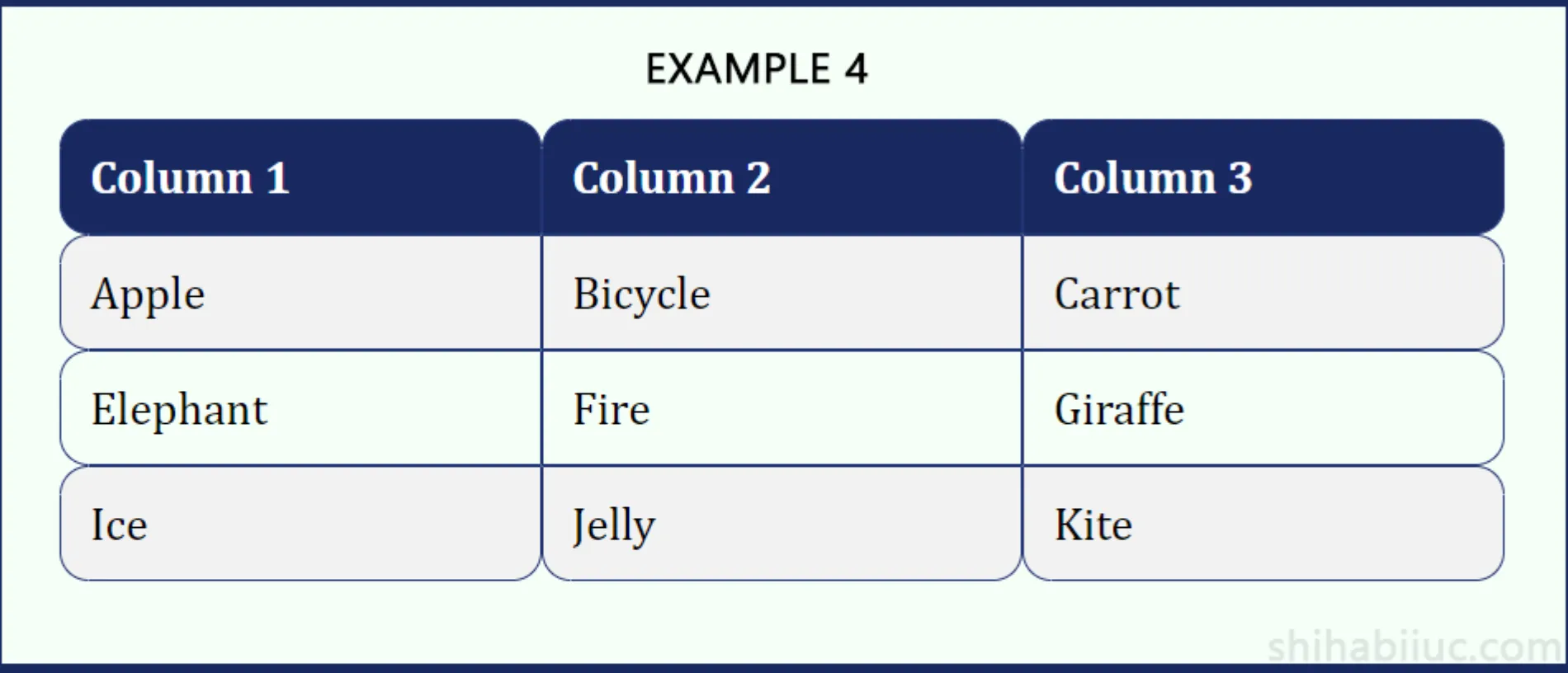
The HTML markup is the same as the first example, only CSS is different.
table {
  border-collapse: separate;
  border-spacing: 0;
  overflow: hidden;
}
th {
  background-color: #182860;
  color: #ffffff;
}
th,
td {
  padding: 10px;
  border: 1px solid #223575;
}
tr:nth-child(even) {
  background-color: #f2f2f2;
}
/* required CSS - making the rows rounded*/
th:first-child,
td:first-child {
  border-top-left-radius: 10px;
  border-bottom-left-radius: 10px;
}
th:last-child,
td:last-child {
  border-top-right-radius: 10px;
  border-bottom-right-radius: 10px;
}
tr:first-child th:first-child {
  border-top-left-radius: 10px;
}
tr:first-child th:last-child {
  border-top-right-radius: 10px;
}
tr:last-child td:first-child {
  border-bottom-left-radius: 10px;
}
tr:last-child td:last-child {
  border-bottom-right-radius: 10px;
}
/* required CSS - making the columns rounded*/
th {
  border-top-left-radius: 10px;
  border-top-right-radius: 10px;
}
tr:last-child td {
  border-bottom-left-radius: 10px;
  border-bottom-right-radius: 10px;
}
I added necessary comments to the CSS so you can understand which part does what specific things.
And it brings me to the end of this post.