There are a couple of ways you can align text to the bottom of a div using CSS. In this post, I will show you a couple of ways to do it.
CSS for aligning text to the bottom
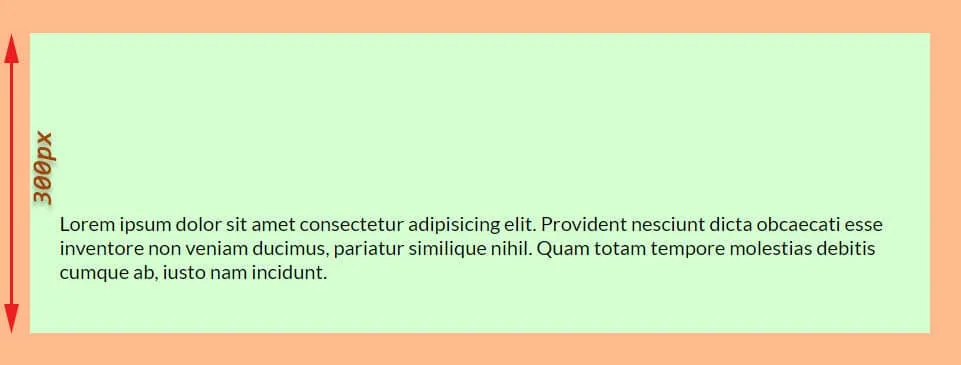 Bottom-aligned text using CSS flexbox
The first and easiest way is using flexbox. Only two lines of CSS can make it happen.
.container { display: flex; align-items: flex-end;}I have a CSS class of container for the div and that’s why I used the selector above. See my HTML markup below.
<div class="container"> <p>Lorem ipsum dolor sit amet consectetur adipisicing elit.</p></div>Example 2: Using CSS position
In this example, I will use the same HTML markup. And align the text to the bottom of the div.
Here is my CSS below.
.container { position: relative;}.container p { position: absolute; left: 30px; bottom: 30px;}I had 30px padding on the container div (all 4 directions). So in my CSS, the left & bottom value is 30 pixels. But you can adjust the value as you want.
| Learn & practice CSS with real-world examples |
|---|
| Learn basic CSS from the ground up. |
| Build real projects in HTML CSS. |
Make your hands dirty
Conclusion
Do you know any other ways to align text to the bottom of a container? Let me know.
In this post, I had a 300px min-height of the container div. I did this to create sufficient space to mess around.
To align text to the bottom, you can either use CSS flexbox or position.